
Welcome to the first "This week in Anythink", a regular round-up of what's new.
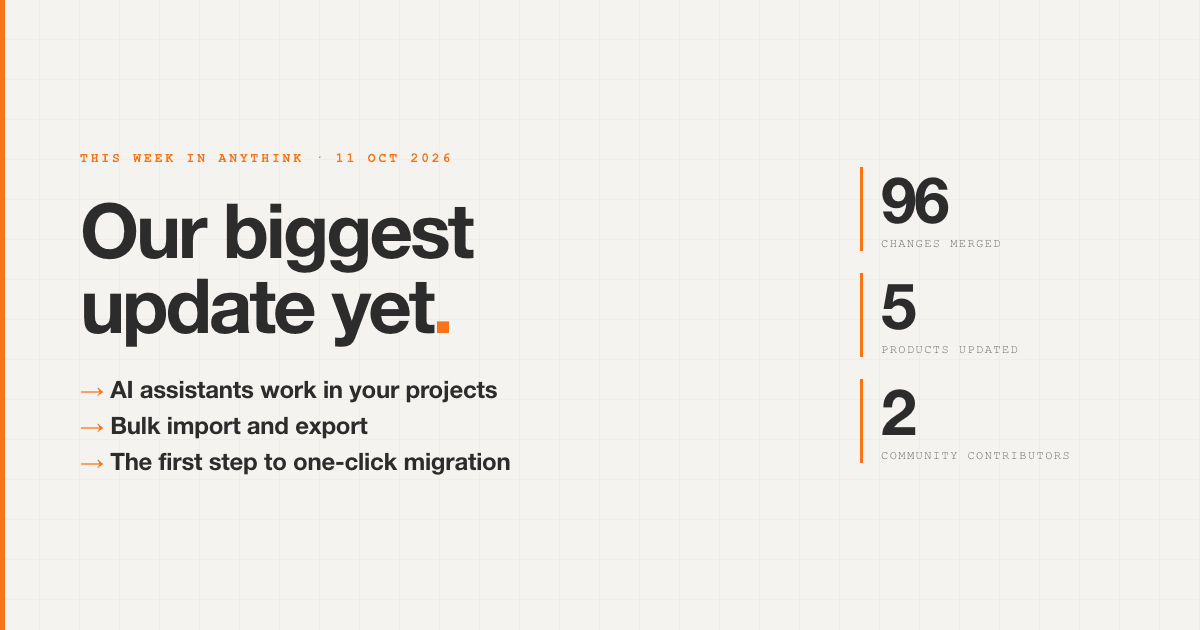
We've been working on this for a while. A lot of it has been months in the making, and this week it all came together: 96 changes went live across the platform, our docs and this website. It's our biggest update since London Tech Week.
Here's what it means for you.
Your AI assistant can now work inside Anythink
If you use an AI assistant like Claude, you can now connect it to your Anythink projects. Instead of copying and pasting between a chat window and your dashboard, you can just ask: "add a status field to orders", "show me last week's sign-ups", "set up a workflow that emails new customers". The assistant does the work in your project.
This works through MCP (Model Context Protocol), the open standard AI assistants use to connect to other software. We now run a hosted Anythink MCP server, so there's nothing to install.
It only ever does what you could do yourself:
- You decide what it can reach. When you connect an assistant, you choose one project or all of them, and whether it can manage projects and billing. Nothing is granted unless you tick it.
- Your permissions still apply. It works as you, through the same API (the interface every Anythink app talks to), so the rules that protect your data protect it from the assistant too.
- It knows everything Anythink can do. Anything you can do from our command-line tool, the assistant can do too, and new features reach it the day they ship.
The AI sidebar in the Anythink dashboard got smarter too: it fetches the tools it needs as it goes, so answers come back faster and more focused.
Move your data in and out in bulk
Getting data into a new platform is often the hardest part of switching, and getting it out again is how you know you're not locked in. Now both take one step:
- Import a spreadsheet (CSV) or JSON file straight into any table in your project, whether that's a customer list, a product catalogue or years of records from an old system.
- Export any table to a file, to back it up, hand it to an analyst, open it in Excel or move it elsewhere. Large tables are fine.
- Check first, then commit. A dry run checks every row against your fields before anything is written, and any rows that don't fit are listed with the reason, so you can fix them and import again. Nothing is half-done.
This runs from the Anythink command line, or CLI (command-line interface), our tool for running Anythink from a terminal or a script, and that makes it easy to automate. It began as a proposal from community contributor Nivedha Palani. Thank you, Nivedha.
The first step to one-click migration
Rebuilding your app by hand is what keeps most teams on a platform they've outgrown. We want moving to Anythink to take one click.
The first step is here: a Directus importer, in preview. Point it at a Directus project and it brings across your data structure, records, files, user roles and permissions, and automations, and recreates them in Anythink. It shows you exactly what it will do, and anything it can't bring across, before it changes a thing.
Directus is the first. We're building the same approach for n8n, Firebase and Supabase next, so you can bring your solution across from the platform you're on today.
More you can do without the dashboard
The command-line tool, and the AI assistants that use it, can now handle much more of Anythink: payment plans and subscriptions, charts and dashboards, menus, email templates and project settings. That's handy for scripting, and for setting up a new project the same way every time. Local file uploads are faster now too, thanks to a contribution from Zuhayr.
Workflows can read your Google data
Workflows, Anythink's built-in automations, can now pull reports from Google Analytics and Google Search Console, using the same Google connection as Calendar, Drive and Gmail. We use this ourselves to bring all our growth numbers into one place.
Safer by default
We spent a good part of this update tightening security: automations run in a stricter sandbox, password changes check your current password, password reset codes are stronger, and record-level access rules are applied consistently everywhere, including in workflows.
Faster docs, and new guides
Our documentation now loads almost instantly: each page is about an eighth of its old size and served from a cache near you. There are new guides on user groups and record-level access, API keys, social sign-in (Google, Apple and more, on web and mobile), and our SDK. We also publish our docs in a format AI assistants can read, so they give better answers about Anythink.
Coming up
Already in review: an AI assistant inside My Anythink (your account area), connecting from more AI tools, including Cursor and VS Code, and letting assistants create new projects for you, within your plan's limits.
If something's missing or you'd like to see something next, tell us. That's how most of this list got written.