Authentication

Sign-in for web and mobile, verified on the server

Add email and password, magic links, and Apple, Google or LinkedIn sign-in to your app, with every native token verified on the server.

The same task, three ways

Every task works three ways, and all of them change the same project. Here's one: let people sign in with Google.

The Anythink dashboard

Add the Google credentials once per project.

The Anythink CLI

The client ID and secret are prompted for, not passed as flags, so they stay out of your shell history.

$ anythink oauth google configure$ anythink oauth google status$ anythink fetch /auth/v1/providers
  • ✓Google client ID and secret saved to the project
  • ✓Status shows Google as configured
  • ✓/auth/v1/providers lists Google

Claude, through MCP

Keep the secret out of chat: set it in the dashboard or CLI, then ask the assistant to check the setup.

you › “Is Google sign-in configured on this project? Which sign-in buttons should my login page show?”

  • ✓Ran oauth google status: Google is configured
  • ✓Fetched /auth/v1/providers: Google is listed
  • ✓Your login page should show a Google button

Why it holds up

Native sign-in

Identity tokens are verified, not trusted

Apple, Google and LinkedIn tokens are checked against each provider's published keys, and the token's subject must match the user identifier your app sent. A forged or swapped token is rejected.
Stable identity

The same user, even when the email changes

Anythink links each provider's stable subject ID to the user, so a returning user is matched behind Apple's private email relay or after changing their email address.

One session

One JWT for your app, the API and MCP

The token your app receives works on every entity endpoint, and the Anythink MCP server authenticates with the same user JWT, so permissions apply the same way to people and assistants.

Access

Sign-in feeds roles and row-level security

Every user has a role with per-entity permissions, and row-level security limits which records they reach, including group-scoped reads for teams.

Sign-in that ships with your backend

Email and password, magic links, native and web social sign-in, and JWT sessions, all on the same users your data model already links to.

Email, password and magic links

Email, password and magic links

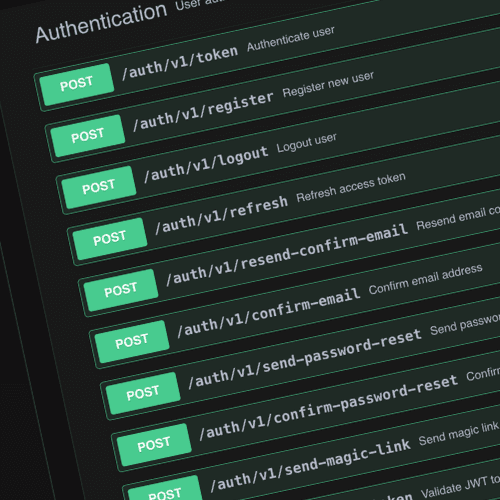
Register users, confirm their email, reset passwords and send one-time magic links from the built-in auth endpoints. Password sign-in waits until the email address is confirmed.

In practice

The REST calls behind each sign-in method

email and password.ts
POST https://api.my.anythink.cloud/org/{org_id}/auth/v1/token
Content-Type: application/json

{
  "email": "alice@example.com",
  "password": "<password>"
}

How it works

From an empty project to a signed-in user

01

Pick your sign-in methods

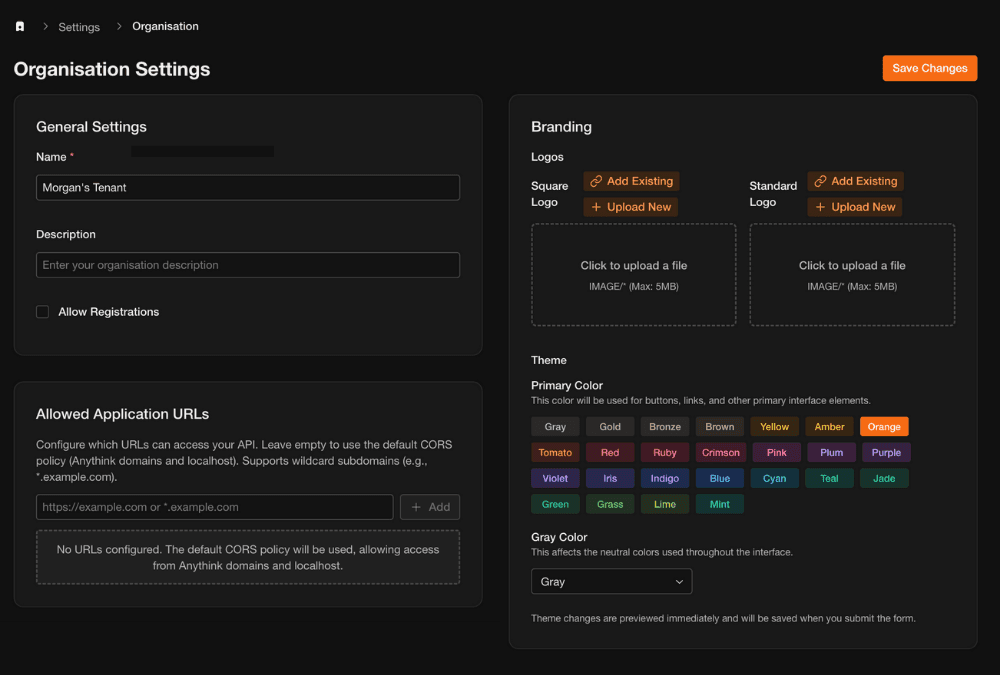
Email and password and magic links use the built-in auth endpoints. Turn on Apple, Google or LinkedIn under Settings › Social Sign-In with your client IDs.

02

Show the right buttons

Your login page calls /auth/v1/providers and renders only the methods this project has configured.

03

Sign the user in

Web apps run the OAuth redirect, with PKCE where the provider supports it. Mobile apps send the provider's identity token to /auth/v1/native/{provider}, which verifies it and creates the user on first sign-in.

04

Use the session

Send the access token as a Bearer token on each API call and refresh it when it expires. In React, the open-source SDK's AuthProvider and useAuth handle this for you.

05

Decide what they can reach

Give the user a role, link records to them, and let row-level security filter what they see.

Follow the guide

Google sign-in, start to finish

Create the credentials in Google Cloud, add them to the project and people can sign in with Google.

Read the social sign-in guide →

Frequently Asked Questions

What sign-in methods does Anythink support?

Email and password (with email confirmation and password reset), magic links, native Apple, Google and LinkedIn sign-in for mobile apps, and web OAuth sign-in for the providers you enable. Every method ends with the same JWT access and refresh tokens.

How do I add Sign in with Apple to an iOS app?

Turn on Apple under Settings › Social Sign-In in the Anythink dashboard and list your app's client IDs. Your app sends the identity token and user identifier from Sign in with Apple to POST /auth/v1/native/apple. Anythink verifies the token against Apple's published keys, checks the subject matches, and returns a session.

Apple only shares the user's name on the first sign-in, so send given_name and family_name on that call.

How do access and refresh tokens work?

Sign-in returns a JWT access token for API calls and a refresh token. Send the access token as a Bearer token. When it expires, POST the refresh token to /auth/v1/refresh for a new pair. Logging out revokes the refresh token.

Can I control what each signed-in user can see?

Yes. Every user has a role, and roles carry permissions per entity, such as orders:read. Row-level security then limits which records a user reaches. Users can also belong to groups, so team members can read their team's records while staff-only records stay private.

Still have questions?

Get in Touch

More in the same project

Every feature reads from the same data model, so each one you add works with the rest.

Documentation

Guides and reference at docs.anythink.cloud.

Ready to go?

Create an account and start building